
You remember the message. Finding it can be hard.

Your teaching,
within reach
when you need it.

You’ve spent years preparing messages to help people grow. ChurchLibrary helps you find the scriptures, stories, and insights you want to return to—so you can build on that teaching as you prepare for what’s next.

See how it works
$0 today. Payment method required. Cancel before day 7 to avoid a charge.

Bring your sermons from

● ● ●ChurchLibrary
A CONVERSATION WITH YOUR LIBRARY
Where have we taught about faith in everyday work?

Your Mission in the Middle series is a good place to begin. Here are two messages to revisit:

FROM YOUR SERMONS
How to Take Jesus to WorkMission in the Middle · Mark Pettus Church of the Highlands
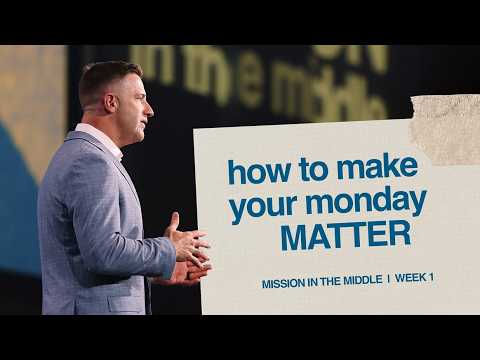
How to Make Your Monday MatterMission in the Middle · Mark Pettus Church of the Highlands
A conversation for your small groupPrepare a guide from a message you’ve shared.
Ask about your teaching Revisit a meaningful moment Create resources for your people
How it works · A short introduction

Getting started is simple.

Take a look at how ChurchLibrary can support you and your team.

  1. 01

    Begin with your sermons

    Upload an audio or video file, or connect sermons from Dropbox or YouTube.

  2. 02

    Get to know your library

    ChurchLibrary prepares transcripts, themes, and insights to help you explore what you’ve shared.

  3. 03

    Prepare something to share

    Ask about your teaching or prepare a handout for your next conversation or small group.

From churches we serve
“ChurchLibrary has become a tool we use every week. It helps us find illustrations we’ve used in the past, see when and how we’ve taught on a topic, and understand the language that has become part of our culture. Having that history in one place has been incredibly helpful as we support our communicators and plan ahead for future series and speaking calendars.”
Dr. John BallChurch of the Highlands
“It’s already becoming a really helpful tool for evaluating our teaching, maintaining consistency, and being more intentional about where we lead our church next.”
Onis RodriguezCentro Internacional de la Familia
Plans for you and your team

Find your fit. Start with 7 days free.

Choose the space your library needs. Every plan includes the same tools to explore your teaching and prepare resources for your people.

7 DAYS FREEExplore your sermons with every tool in your selected plan.
MonthlyAnnuallySave 17%

Choose annual billing and get 12 months for the price of 10.

$0 today. Your chosen plan starts billing after 7 days unless you cancel. Payment method required.

Solo

A personal library for your teaching.

$29/month
After your 7-day free trial · billed monthly
  • Audio & video file uploads
  • Dropbox integration
  • YouTube + automatic sync
  • 1 user
  • 50 total sermons
  • Ask questions & explore sources
  • Sermon Insights
  • Handouts & discussion guides

Starter

For a small team

A library to explore with your small team.

$49/month
After your 7-day free trial · billed monthly
  • Audio & video file uploads
  • Dropbox integration
  • YouTube + automatic sync
  • Up to 3 users
  • 100 total sermons
  • Ask questions & explore sources
  • Sermon Insights
  • Handouts & discussion guides

Team

More room for your teaching and your team.

$99/month
After your 7-day free trial · billed monthly
  • Audio & video file uploads
  • Dropbox integration
  • YouTube + automatic sync
  • Unlimited users
  • 250 total sermons
  • Ask questions & explore sources
  • Sermon Insights
  • Handouts & discussion guides

Add additional storage

More room for your sermons, with monthly add-ons to any plan.

+100 sermons$19/mo
+500 sermons$59/mo
+1,000 sermons$99/mo
2,500+ · CustomFrom $249/mo

Plans count the total sermons in your library, with no monthly upload limit or separate import fee. For libraries of 2,500 or more, we’ll help you find the right capacity and price.

A few ways to begin

Start with the sermons
you already have.

Whether your messages are saved on your computer, organized in Dropbox, or shared on YouTube, we’ll help you bring them into one library.

  • Connect YouTube

    Connect your church’s channel and turn on automatic sync. New uploads with available captions are added and processed for your library automatically.

  • Connect Dropbox

    Choose sermons from the folders where your team already keeps them.

  • Upload a recording

    Add an audio or video file directly from your computer.

For the everyday moments of ministry

Finally, a library
you can talk to.

Whether you’re preparing a message or meeting with your team, your past teaching can be a helpful place to begin.

Choose a feature to explore an example.

ChurchLibraryIllustrative example
YOUR LIBRARY Explore your teaching through conversation.
Where have we taught about finding hope in difficult seasons?

You’ve returned to this through perseverance, trust, and God’s faithfulness. Here are two places to begin:

In Anchored in hope, the message follows Romans 5: how suffering can grow perseverance, character, and hope.

1
Anchored in hopeRomans 5:1–5 · 23:14

Faith in the waiting approaches it through the story of Abraham—trusting God before the outcome is clear.

2
Faith in the waitingGenesis 15 · 18:32
Ask a follow-up about your teaching…
We’re here to help

A few things you may be wondering.

Can I upload files or bring sermons from Dropbox?

Yes. You can upload audio or video files directly, or connect Dropbox to choose recordings from your folders. Google Drive and supported recording links are also available. ChurchLibrary prepares a searchable transcript so you can explore that message alongside your other teaching.

Can I start with sermons already on YouTube?

Yes, that’s a great place to begin. Connect a YouTube channel your church manages and choose sermons with available captions. ChurchLibrary uses those captions to prepare your library, while the videos continue to play on YouTube. Your channel permissions and available caption tracks determine which messages can be imported.

Will new YouTube uploads be added automatically?

Yes. Once you connect your church’s channel and turn on automatic sync, ChurchLibrary checks for new uploads daily and processes messages with available captions for your library. You can keep sharing on YouTube without importing each new message by hand. New messages count toward your plan’s total library capacity.

What can I make from a sermon?

You can prepare an outline, handout, discussion guide, or study for several sessions, using the teaching in your library. Make changes through conversation, review the draft, and then copy it or download a PDF to share with your people.

How do I know where an answer came from?

You’ll find links back to the sermons and moments used in an answer, so you can return to your teaching and read or listen in context. Because answers and resources are prepared with AI, we encourage you to review them before sharing.

Is there a separate fee to import my archive?

There’s no separate fee to bring in your earlier messages. Your plan is based on the total number of sermons in your library, with no monthly upload limit. If you need more room, you can add capacity to your plan.

Do you keep a backup of my YouTube videos?

Your imported YouTube sermons continue to play from YouTube, so the original video needs to remain available there. ChurchLibrary keeps the transcript for your library but does not store a backup of the YouTube recording. Audio and video you upload directly are hosted separately.

Have another question?We’d love to hear from you
For the people you’re called to serve

We’d love to help you
get started.

$0 today. Payment method required. Cancel before your trial ends to avoid a charge.